LIFTnet
Network for lifts and equipment
LIFTnet is a software system and network, to which as many lifts, escalators, and technical equipment with new and old systems can be coupled. Third-party controls are integrated using MULTiBUS Coupler.
LIFTnet can be used as a disorder center, as a visualization, diagnostics, maintenance and parametrisation station as well as an extension for our electronic lift attendant.
With LIFTnet you get a tool with whitch you can minimize your access routes to the sites at errors, reduce operating costs and improve the availability, security, and documentation of your lifts.
Infrastructure
All LIFTnet software modules run under Windows, which ensures a high hardware independence and a good program management.
The number of accessable lifts or technical equipments is practically unlimited. The connection to the systems are made individually via modem or IP networks. The data transfer can be realised wireless or wired also under sharing existing lines.
Monitoring and remote control
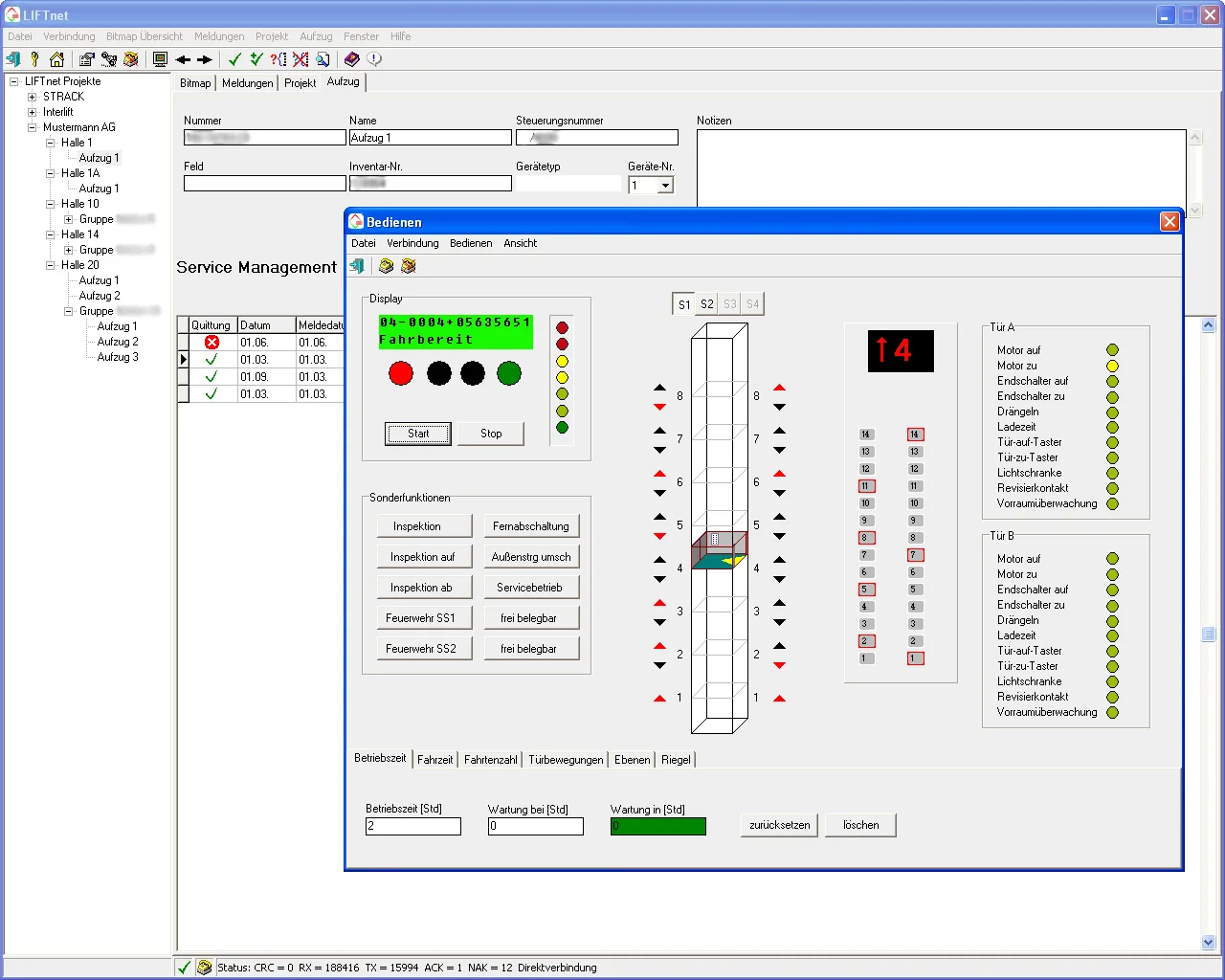
Look at the lift from a distance and control him. Special functions you can activate/deactivate and conditionally evacuate even trapped people. The presentation is always carried out with the specific data of the lift, such as type and location of doors, call buttons and labels of the floors. A setup wizard helps you add a new lift.
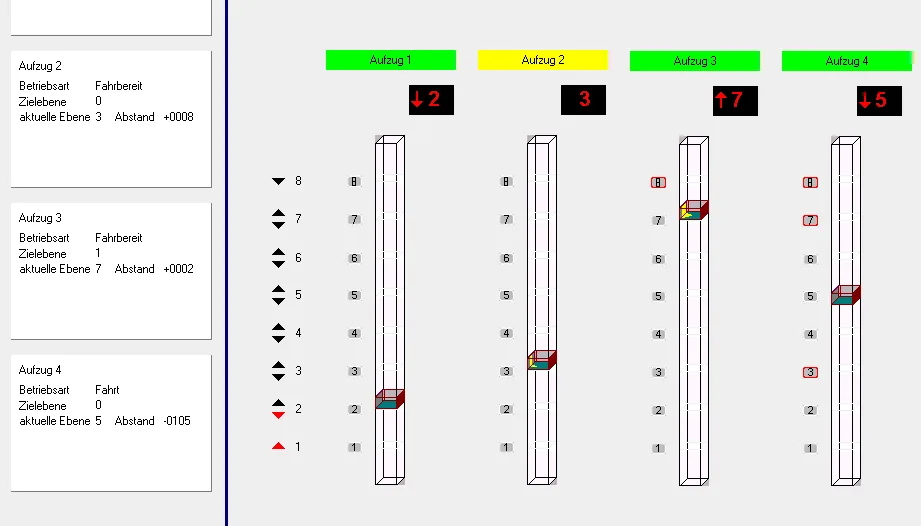
Represent associated lift groups in a common image. You can set group calls and analyze the behavior. Enabled lifts in the lift group are shown green, deactivated lifts yellow and disturbed lifts are marked red.
Lift positions in maps
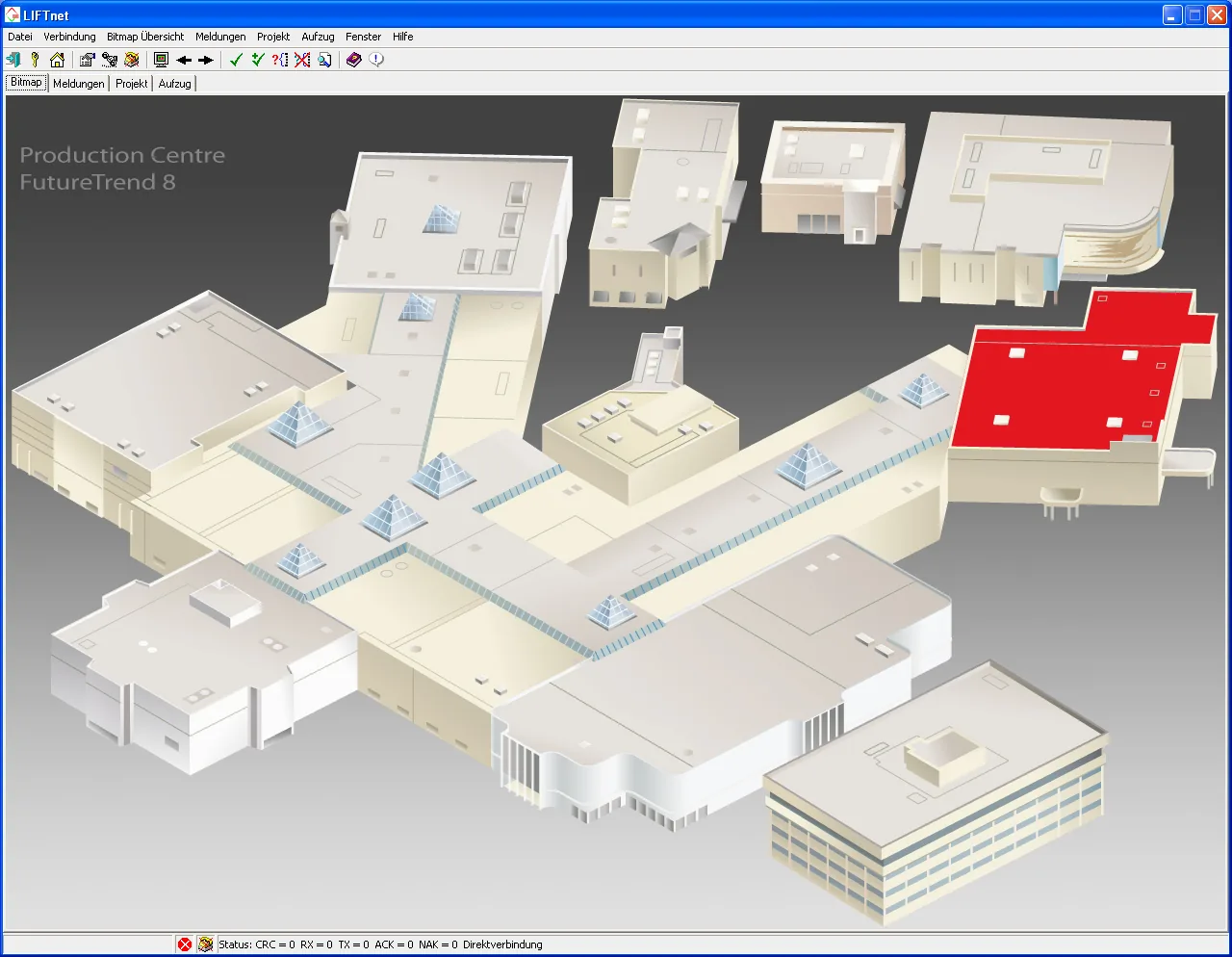
Here you can see your equipment in building location maps, also nested plans without limitation are possible. If you want to build e.g. a fault headquarter for a plant, you can represent the building location plan of the work as the main image. If an error message is received, the relevant building is highlighted in red. By clicking, you get a magnified view with more details to this building, e.g. the layout position of the lifts and the faulty lift. Follow the markers by simply clicking on the status indicator and evaluate the messages.
Early detection of system misbehavior
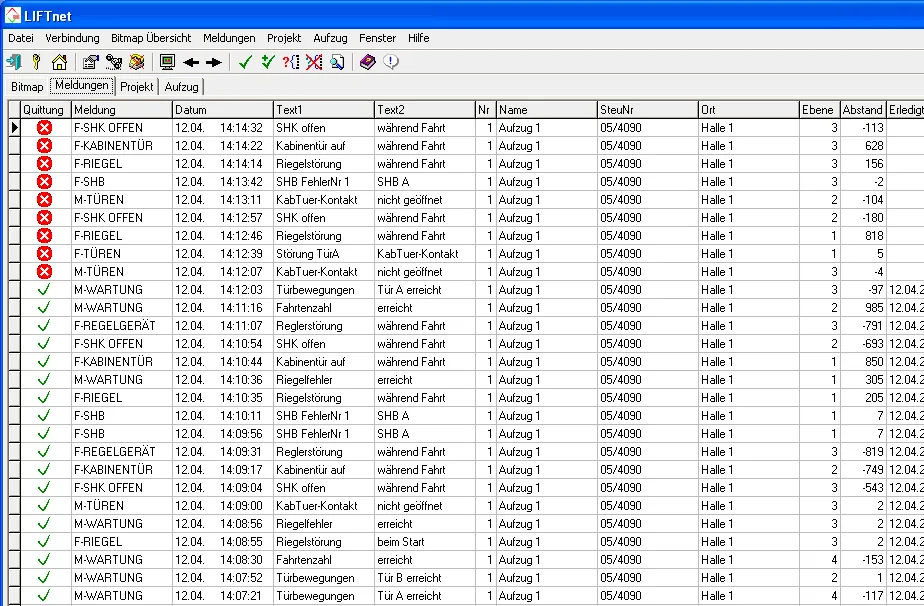
Each lift sends status messages and error messages if anything happens automatically to multiple LIFTnet stations. The lift control decides also depending on the type of message, to which station the message should be sent, e.g. the doorman should receive only the errors that stopped the lift while the technology center receives also warning messages, which could lead to a later stopping operation (e.g. common door lock errors).
LIFTnet may transfer failures, warnings, and messages immediately via SMS or E-Mail to the relevant personnel.
Your fault service can transfer all the information before visiting the lift such as fault memory, current operational status, and the history of all switching of the in-/outputs of the last travels. By this previous remote diagnosis your service team can avoid unnecessary travels to the lift, e.g. because of knowing the right spare parts.
Record the real driving curve
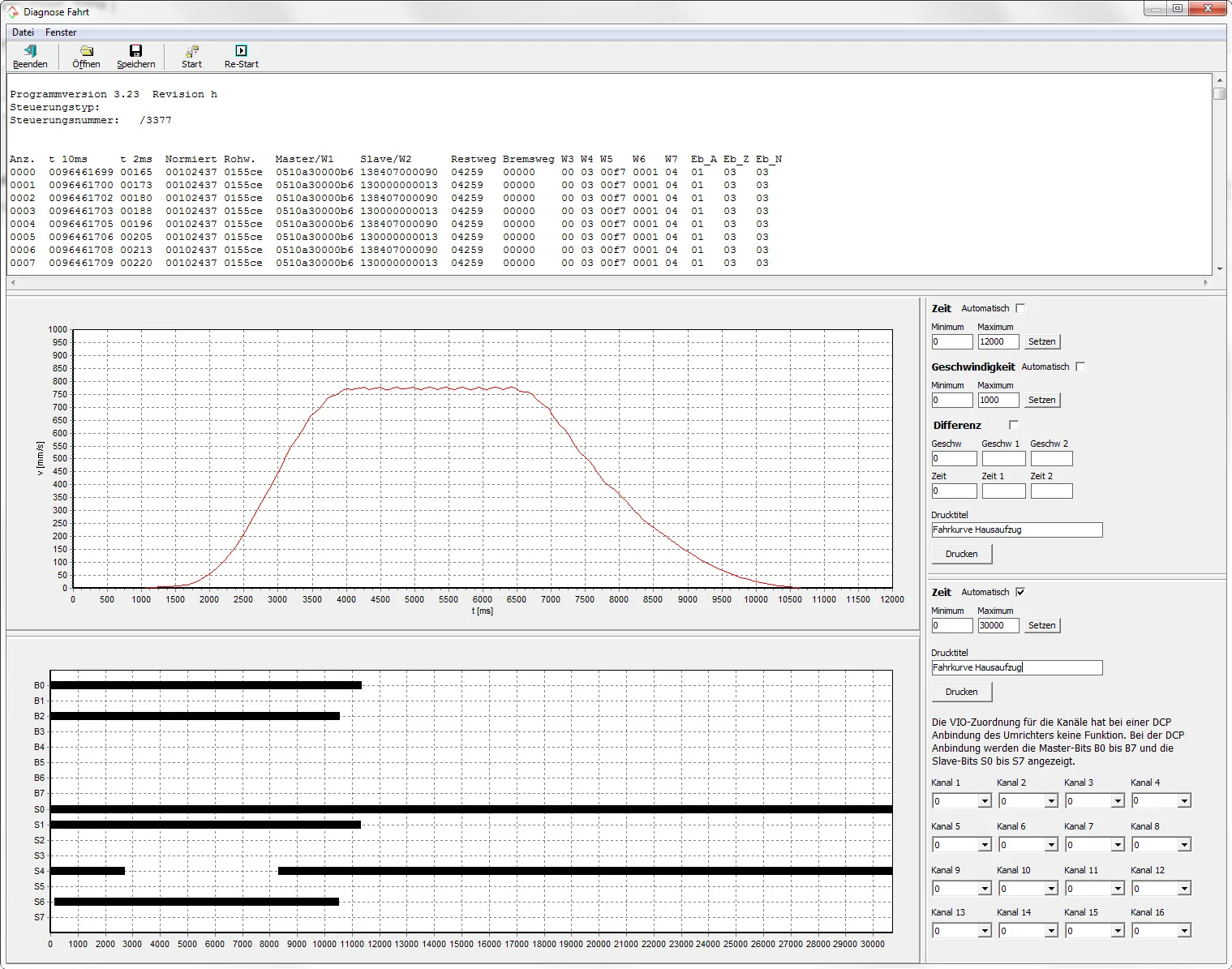
With LIFTnet you can give calls and record the real driving curve of the car, not that of the motor, and decorate it with switching diagrams. LIFTnet using the absolute encoder of DISK shaft copying. Regulated and unregulated rope and hydraulic lifts are equally represented.
Parameterization
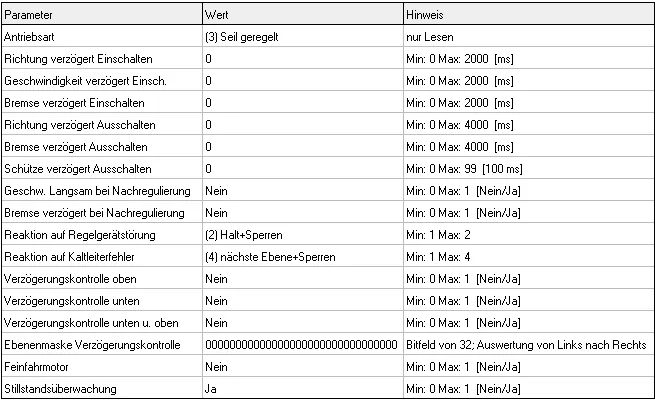
Customize control and regulation parameters from a distance and thus save directions. All parameters that are functional related, are grouped into tabs and can be easily changed in LIFTnet. You can save all parameters in LIFTnet and on other similar systems transferred completely or in part.
Database and backup
LIFTnet uses a professional SQL client/server database system to store all data according to current standards. It is quick and easy to install, has a high performance, and requires no database administrator. The database includes a standard SQL interface, access is controlled through user rights. On request, the entire database can be encrypted.
Back-up during operation
LIFTnet performs an automatic backup of the database upon request during operation. The so-called hot backup allows you to backup your data without compromising the functionality or manual intervention.
Decentralized data collection
The LIFTnet database server has a secure data replication function, so that local working, e.g. with a notebook, without connecting to the server can be performed. After completion of work and renewed connection of the notebook to the LIFTnet server database, the new or changed data are automatically matched with the LIFTnet server database.